Software installation for Agentic coding
This document was created for CompPhysHack 2026.
Humans give instructions in natural language for what they want to build, and AI agents generate source code and execute commands. This approach to development using AI is called AI-driven development. Similar terms include Vibe coding, Agentic engineering, and Agentic coding.
Getting started is very easy. Install an AI agent from your preferred platform and try the prompts below.
For Julia users:
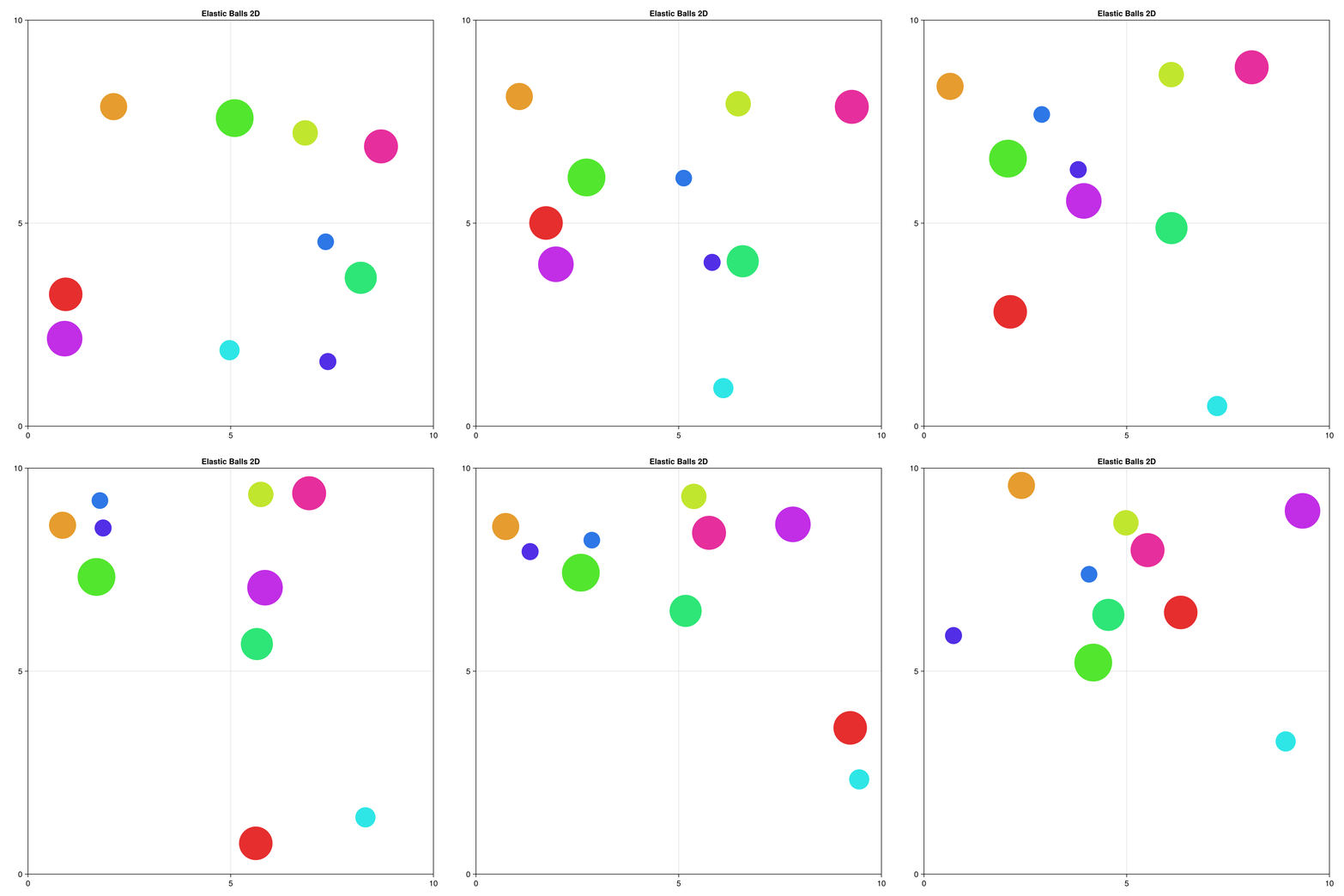
I want to create a Julia package for simulating and visualizing elastic collisions of multiple balls in 2D space.For Rust users:
I want to create a Rust crate for simulating and visualizing elastic collisions of multiple balls in 2D space.We used English prompts here, but you can give instructions in any natural language such as Japanese. You can expect output similar to this example. The source code was generated using the Composer 1.5 model from Cursor.
Which Tool Should You Use?
- There is no single answer since AI agents are constantly evolving. A good starting point depends on which accounts you have. You can also ask colleagues or friends nearby.
- If you have a ChatGPT subscription, try Codex or GPT-5.3-Codex
- If you have a Claude subscription, try Claude Code: Opus-4.6
- If you want to use something for free:
- All services have usage limits. It all comes down to budget. Participants of CompPhysHack 2026 will likely need some paid plan to fully enjoy the event.
The author of this document uses the following setup:
- Claude Code MAX
$200/$100: Opus-4.6- Delegates coding to AI
- ChatGPT Plus plan
$20: Codex: GPT-5.3- Wants a different perspective from Claude Code
- Cursor Pro plan
$20: Daily editor with Composer 1.5- Excels at code completion. Seamlessly passing integrated terminal error output to the AI agent provides a good user experience
Installing Command Line Interface (CLI) Tools
Participants of CompPhysHack 2026 are assumed to have some software development experience. Here we install various AI agents via CLI tools.
Installing the npm Command
npm is the package manager for Node.js. Node.js is a JavaScript runtime. This step is required to install Codex CLI and Gemini CLI.
- Follow the instructions at Download Node.js.
The following describes installation of various CLI tools; you do not need to install all of them.
Codex CLI
- https://developers.openai.com/codex/cli/
$ npm i -g @openai/codex
$ codex
A ChatGPT subscription is required to use it.
Gemini CLI
$ npm install -g @google/gemini-cli
$ gemini
See https://github.com/google-gemini/gemini-cli to learn more.
A Google account is required to use it.
Claude Code
macOS, Linux, WSL:
$ curl -fsSL https://claude.ai/install.sh | bash
$ claude
Windows PowerShell:
PS> irm https://claude.ai/install.ps1 | iexCopilot CLI
$ npm install -g @github/copilot
$ copilot
See https://github.com/github/copilot-cli to learn more.
Installing AI-Enabled Integrated Development Environments
Install VS Code or its derivatives: Cursor or Google Antigravity. You do not need to install all of them.
VS Code
Follow the instructions at the links below:
Cursor
Follow the instructions at the link below:
You can also use Cursor as a CLI tool with cursor-agent.
Google Antigravity
Follow the instructions at the link below:
Software Installation
Here we install CLI tools useful for modern general software development (including numerical computing).
GitHub CLI (gh)
Many AI agents use the gh command to create GitHub issues and pull requests. This automates many tedious tasks.
Read the instructions at https://cli.github.com/ to install.
macOS:
% brew install ghLinux users should refer to Installing gh on Linux and BSD.
Windows users should refer to Installing gh on Windows.
Julia (julia)
Julia is a general-purpose programming language well-suited for scientific and technical computing.
Follow the instructions at Installing Julia.
macOS or Linux:
$ curl -fsSL https://install.julialang.org | shWindows:
PS> winget install --name Julia --id 9NJNWW8PVKMN -e -s msstoreRust (cargo, rustc)
Rust was developed for systems programming but is also gaining attention in scientific computing. Follow the instructions at Install Rust.
macOS or Linux:
$ curl --proto '=https' --tlsv1.2 -sSf https://sh.rustup.rs | shSee this instructions if you are using Windows.
The commands above will make cargo, rustc, and similar commands available. Verify the installation as follows:
$ cargo new hello-world
$ cd hello-world
$ cargo run --release
cargo run --release
   Compiling hello-world v0.1.0 (path/to/your-workspace/hello-world)
    Finished `release` profile [optimized] target(s) in 1.38s
     Running `target/release/hello-world`
Hello, world!
Python (uv)
Python excels as a scripting language, but the proliferation of package managers has caused much confusion in the community. uv may put an end to that—at least, we hope so. uv is a fast Python package manager implemented in Rust.
Follow the instructions at Installing uv.
macOS or Linux:
$ curl -LsSf https://astral.sh/uv/install.sh | shVerify the installation:
$ mkdir path/to/your-workspace
$ cd path/to/your-workspace
$ uv init
$ uv run python main.py
Docker (docker)
Claude Code and Codex offer options to bypass user permission prompts, such as --allow-dangerously-skip-permissions and --yolo. While convenient, these options can also allow execution of dangerous commands like rm -rf /. To prevent such situations, it is advisable to use a sandboxed environment. For example, Docker containers can restrict the scope of AI agent actions by limiting which files are mounted.
Install according to your OS:
Verify the installation with the following command:
$ docker run --rm hello-worldDev Containers (devcontainer)
Building an environment with Docker requires creating a Dockerfile. Building from scratch is tedious. Devcontainer’s Development Container Features let you assemble self-contained configurations called “Features” as building blocks for your environment. This allows you to use Julia, Python, Rust, and more freely inside Docker containers.
Install as follows according to Dev Container CLI:
$ npm install -g @devcontainers/cliYou can verify with the following commands:
$ git clone https://github.com/microsoft/vscode-remote-try-rust
$ cd vscode-remote-try-rust
$ devcontainer build
$ devcontainer up --workspace-folder ./
$ devcontainer exec --workspace-folder ./ bash
vscode ➜ /workspaces/vscode-remote-try-rust (main) $ cargo run
   Compiling hello_remote_world v0.1.0 (/workspaces/vscode-remote-try-rust)
    Finished `dev` profile [unoptimized + debuginfo] target(s) in 0.45s
     Running `target/debug/hello_remote_world`
Hello, VS Code Remote - Containers!
Software Installation (Optional)
The following are installation steps for commands used by the author of this document. You may skip this section.
tig
Text-mode interface for git
% brew install tightop
A richer alternative to the top command. Used for visually monitoring CPU usage.
% brew install htoprg command
Codex users may find this useful.
% brew install ripgreptmux
tmux is a tool for splitting terminal windows.
% brew install tmuxquarto
Required if you want to view this document locally.
See Welcome to Quarto to learn more.